Case Study
Schoolbox
A homework helper app for students and teachers.
Role
UI/UX Designer
Duration
4 Months
Tools
Figma, Miro, Canva
AI Tools
ChatGPT, Lovable
Context
Context
As a Grade 4 English teacher, I believed homework played an important role in reinforcing learning and developing skills such as responsibility, time management, and a strong work ethic.
However, I noticed that many of my students struggled to complete and keep track of their assignments. Even when homework was completed, it was rarely an experience they felt positive about.
This led me to ask:
How might we create a smoother, more engaging homework experience for students, teachers, and parents?
Problem
Students were struggling with homework—not necessarily because they lacked the ability to complete it, but because managing assignments and staying motivated presented challenges.
I wanted to understand what was making homework difficult and what could motivate students to engage with it more positively.
Goal
To understand the homework experience from the perspectives of students, teachers, and parents, and use those insights to design a digital solution that makes homework easier to manage and complete.
Research
I used secondary research and user interviews to understand the homework experience and identify opportunities for improvement.
Secondary Research
I reviewed academic literature, research reports, and articles to better understand the role of homework, its benefits, and the factors that influence students' motivation.
Autonomy
Students need to feel that they have choice and control over their learning.
Give students choices when possible, such as selecting between tasks or topics.
Relatedness
Students need to feel connected and supported by the people around them.
Make it easy for students to ask for help and feel supported when they need it.
Competence
Students need to feel capable of succeeding and making progress in their work.
Break tasks into manageable steps and match the challenge to the student's abilities.
What this meant for my design
The research showed that a successful homework experience goes beyond assigning work — it should empower students with choice, provide accessible support, and make assignments feel achievable.
User Interviews
I conducted interviews with 3 Grade 4 teachers over Zoom to understand their experiences, strategies, and perspectives on homework.
Interview Highlights
Listen to brief audio clips from the interviews.
P1Participant One
0:00 / 0:34
P2Participant Two
0:00 / 0:37
P3Participant Three
0:00 / 0:13
What this means
Teachers highlighted that homework success is influenced by a combination of student motivation, organization, relationships, and home involvement. These insights informed the key features and experience priorities in the design of the homework app.
Understanding the Users
The interviews gave me a deeper understanding of the perspectives, needs, and challenges of students, teachers, and parents. I used these insights to create my user personas and empathy maps.
Personas
Turning research patterns into relatable user profiles.
Name: Sam
Age: 8
Location: Miami
Occupation: Sam is a grade 3 student who is trying his best to keep up with his class and the workload that comes along with it.
Sam sets aside a specific time slot for homework:
How many of his classmates enjoy Sam's company:
Sam's organization skills within the classroom:
How much Sam values the school system and a proper education:
Sam's goal as a student is to stay afloat amidst all of his academic responsibilities. After many years of constant struggle Sam believes that he will never come to see success.
Quote
“I like to have conversations with my teacher because it feels good when someone listens to what I have to say.”
Name: Teacher Tilly
Age: 33
Location: Toronto
Occupation: Tilly has been an English teacher in elementary school for the past 11 years.
How often Tilly hands out homework:
How many of Tilly's students hand in completed homework when expected:
How often Tilly works one on one with a student who is struggling with homework and sees results:
Technically inclined:
Tilly's goal as a teacher is not only to educate but also to impart values and build important life skills by giving her students homework.
Quote
“It is the young stages of life which are the foundations for a steady, concrete adulthood.”
Name: Molly
Age: 41
Location: Atlanta
Occupation: Molly is a hardworking stay at home mom, and has four children.
How much time Molly has to sit with her children when they do their homework:
How many of Molly's children complete their homework efficiently on their own:
Molly's belief in a proper education and her desire to for her children to excel in their studies:
Technically inclined:
Molly's goal is to instill within her children the value of education and a proper work ethic. Molly believes that her children can only gain these values by doing homework on their own while she shows her encouragement from the sidelines.
Quote
“It is visible upon the child when the parents believe in homework and education.”
Empathy Maps
Understanding the emotions and behaviors behind the homework experience.
Student who is capable and competent of completing H.W
Feels
- Feels proud of themselves
- Feels prepared and capable to tackle any challenge
Thinks
- Thinks about the future
- Thinks within a mature mindset
Does
- Completes and hands in H.W on time
- Sits down at a set time to work on H.W
- Takes responsibility
- Writes down the H.W in class
Says
- Asks questions to ensure clarity on the subject
Student who is incapable and incompetent of completing H.W
Feels
- Feels incapable
- Feels overloaded with work that is too daunting and difficult
Thinks
- Thinks about instant gratification
- Thinks within a childlike mindset
Does
- Chooses to play instead of setting a time to complete it
- Does not write down H.W in classroom and papers are unorganized
- Shows a lack of interest in education
Says
- Gives excuses to why H.W is not complete
Ideation
Turning research insights into opportunities and potential solutions.
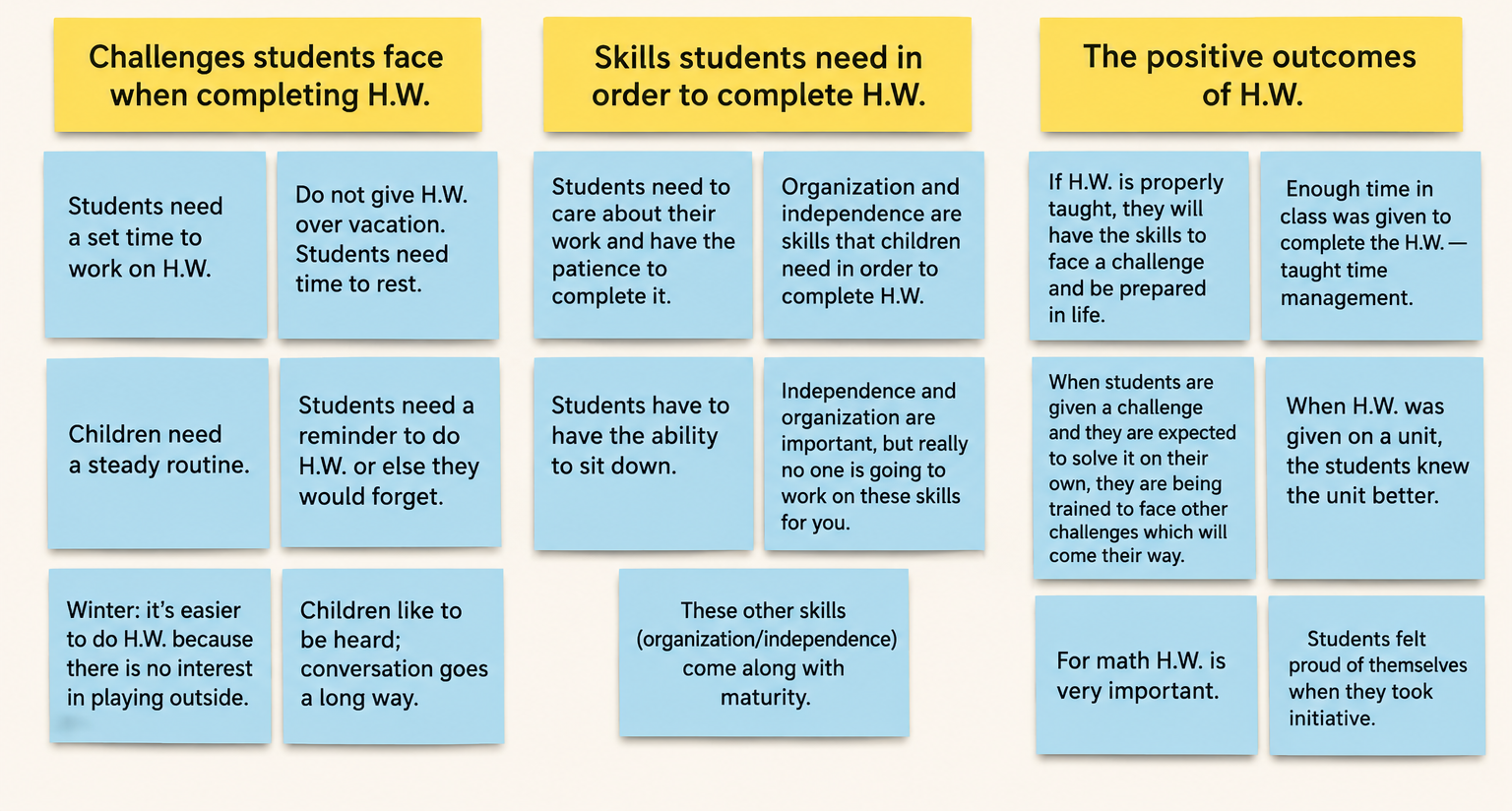
Affinity Map
I grouped recurring themes and patterns from my research to identify the needs and challenges shared across users.
How Might We Statements
I translated these findings into How Might We questions to help guide the design process.
How might we build a framework that provides students with a greater ability to complete their homework?
How might we teach students about responsibility within the confines of homework without helicoptering over them?
How might we inspire parents to be more passionate about their children's education?
How might we teach students about time management?
Defining the Experience
Turning ideas into a clear structure and user journey.
Red Routes
I identified the essential paths users would take to complete their primary tasks.
Legend
Oval: Start/End
Rectangle: A process, task, or action
Parallelogram: Data input or output
Diamond: A decision point or question that alters the flow
Arrow: Shows the direction of the flow
Student Red Route
Swipe to explore →
Teacher Red Route
Swipe to explore →
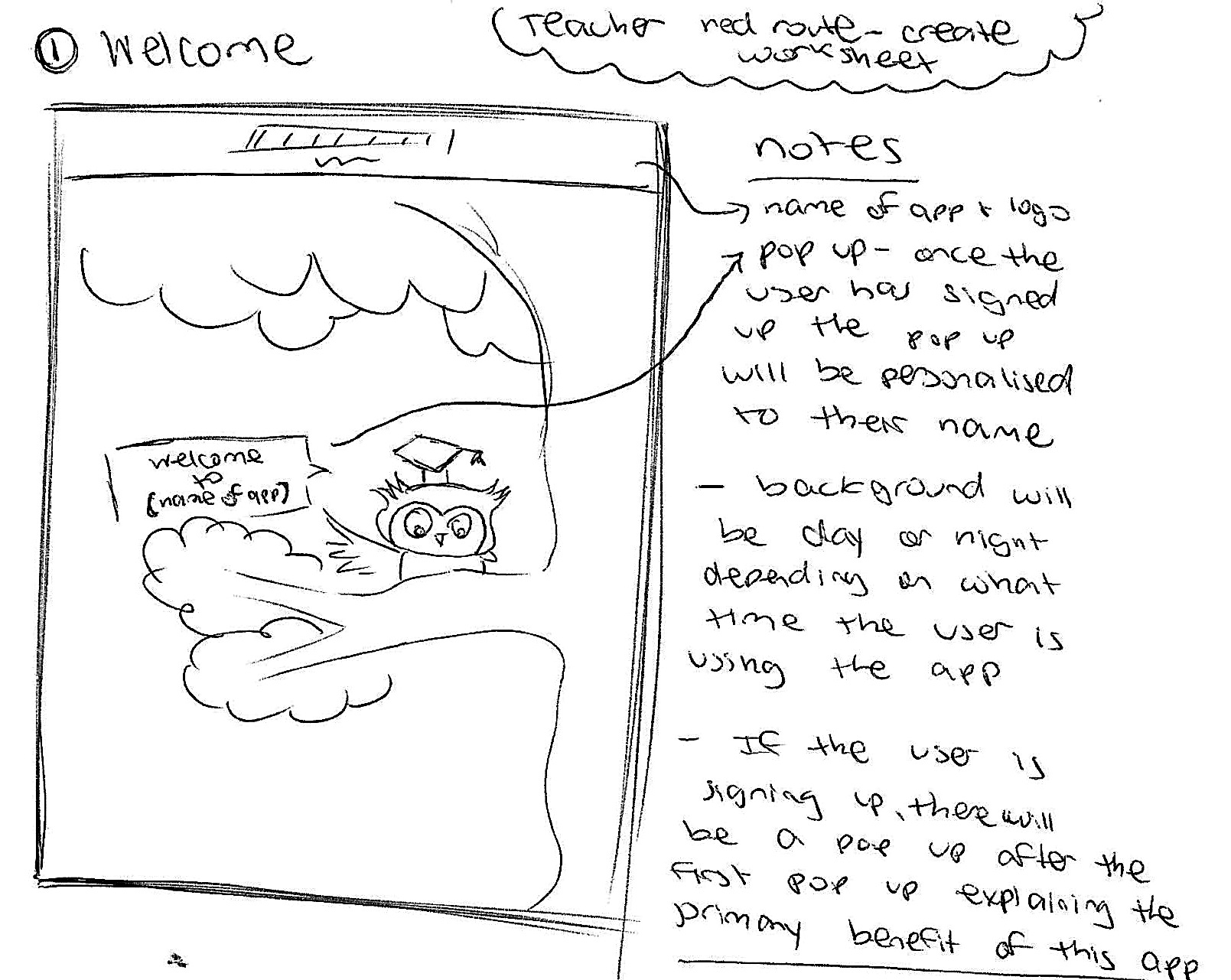
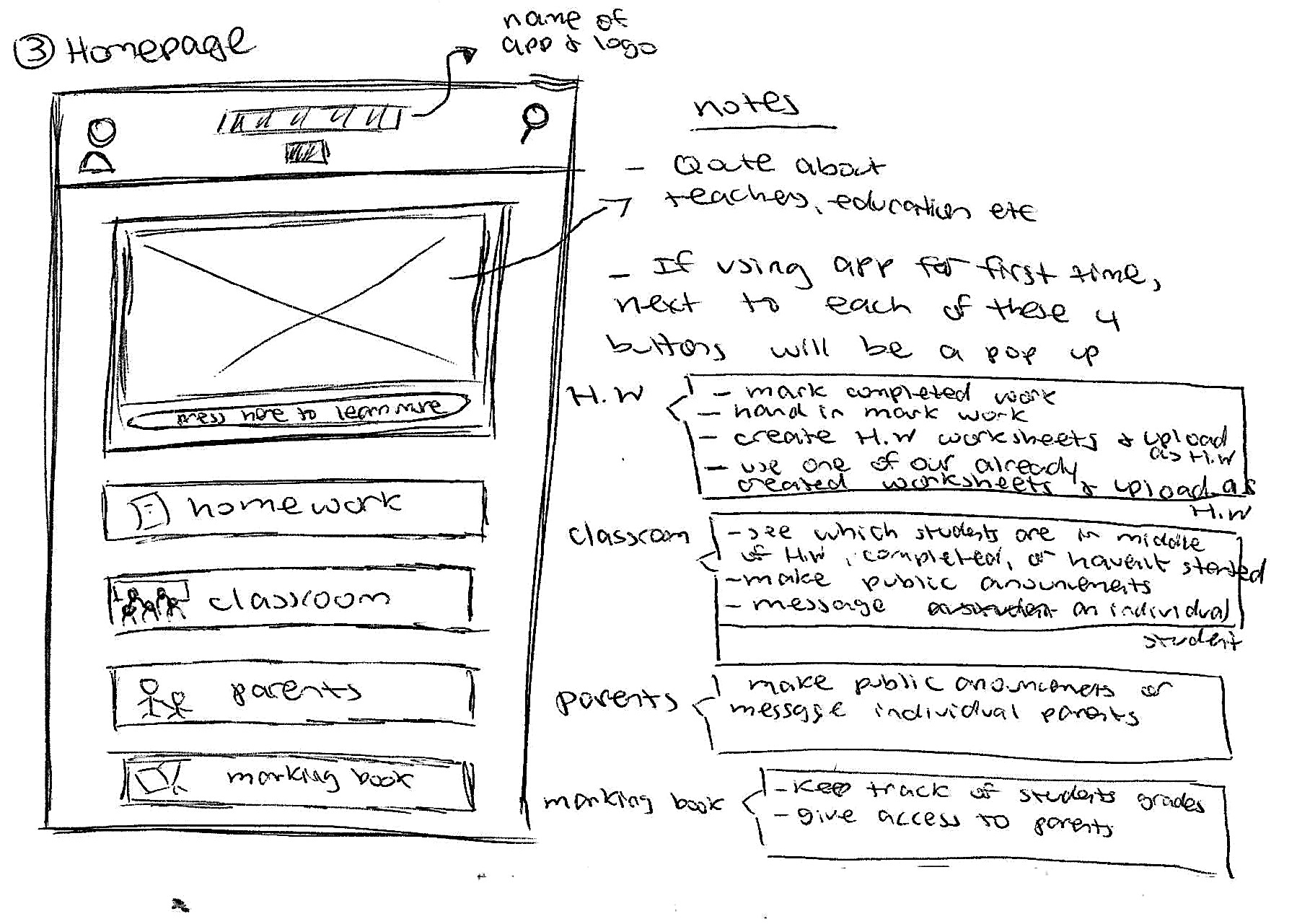
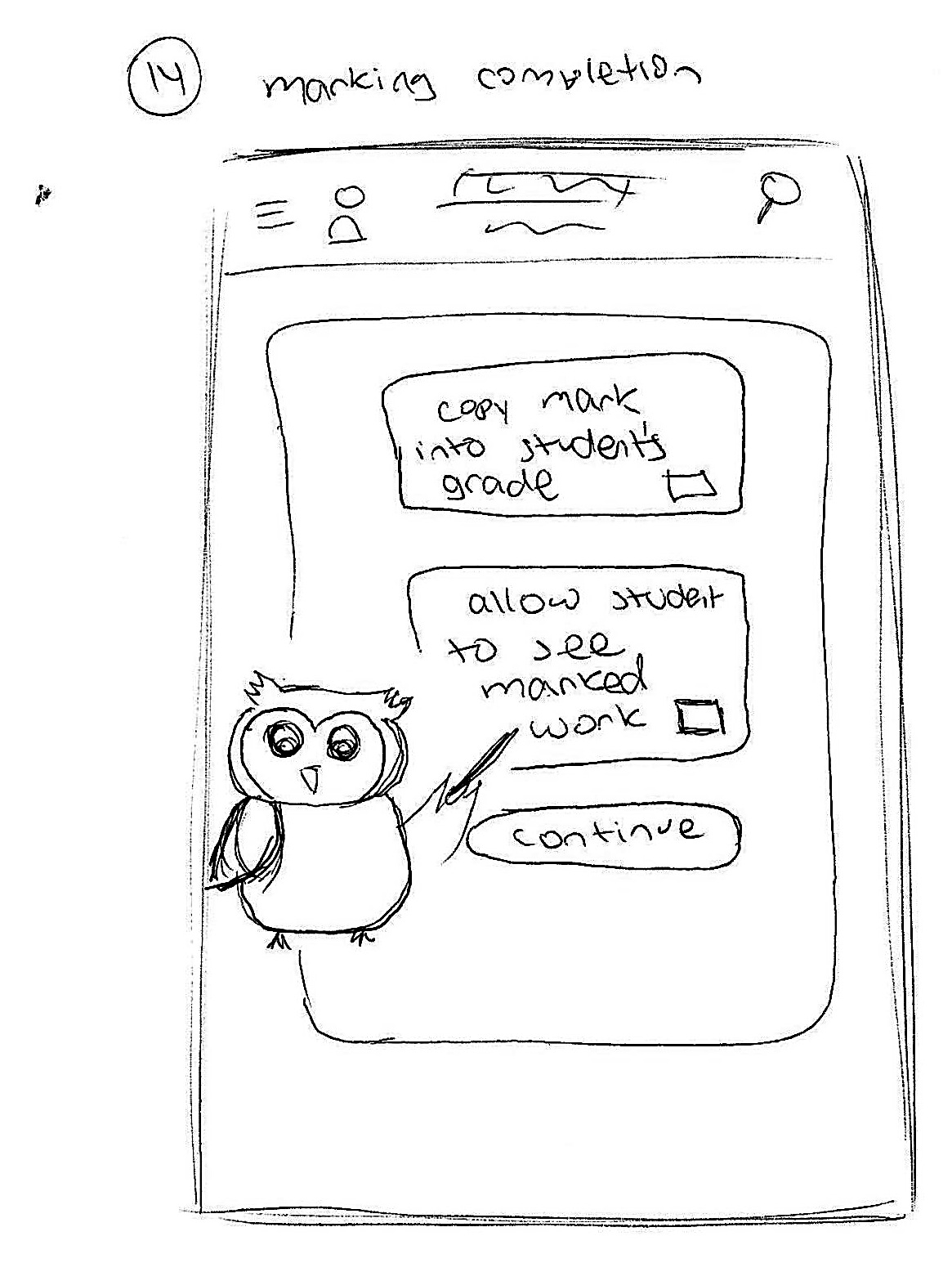
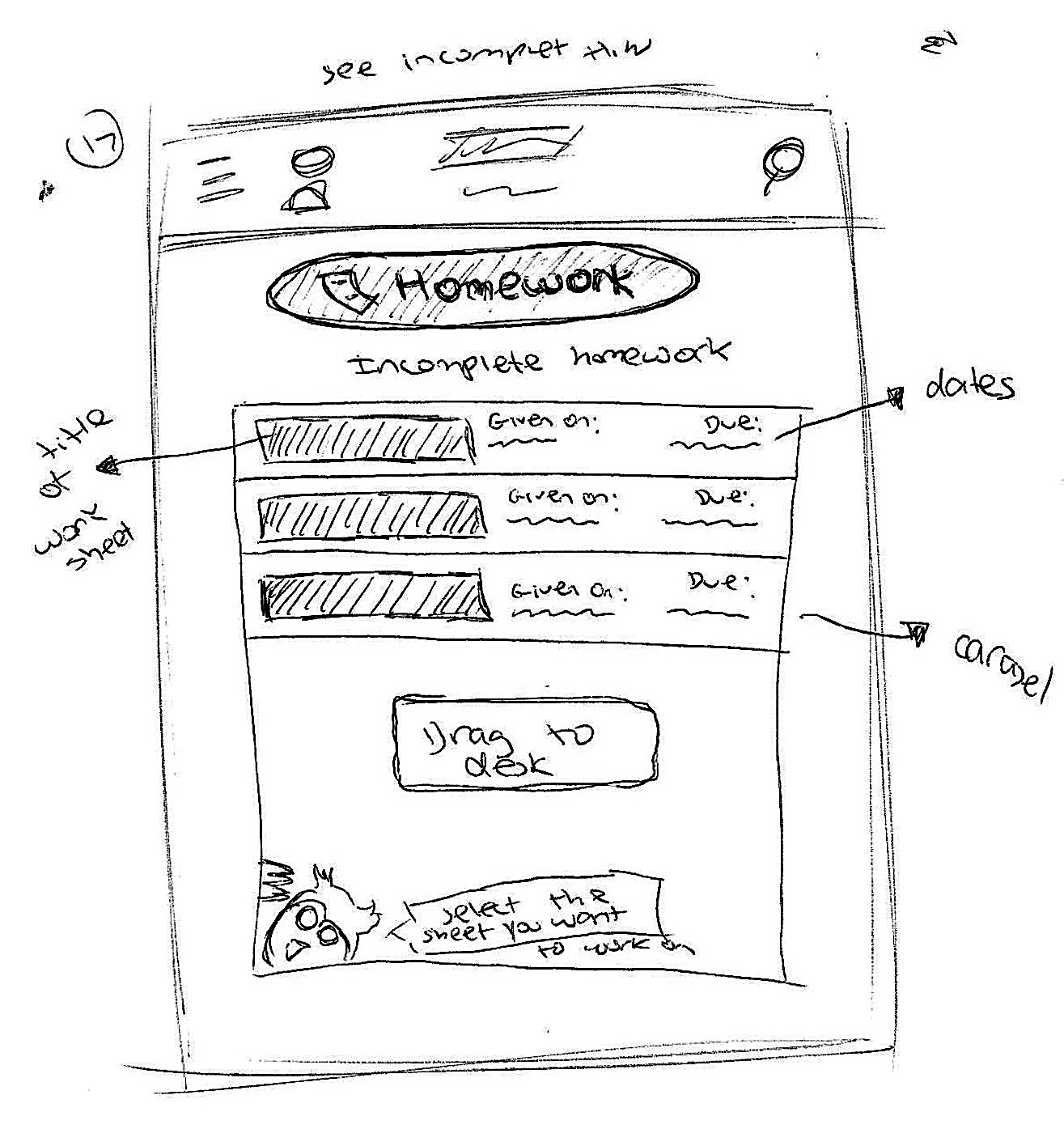
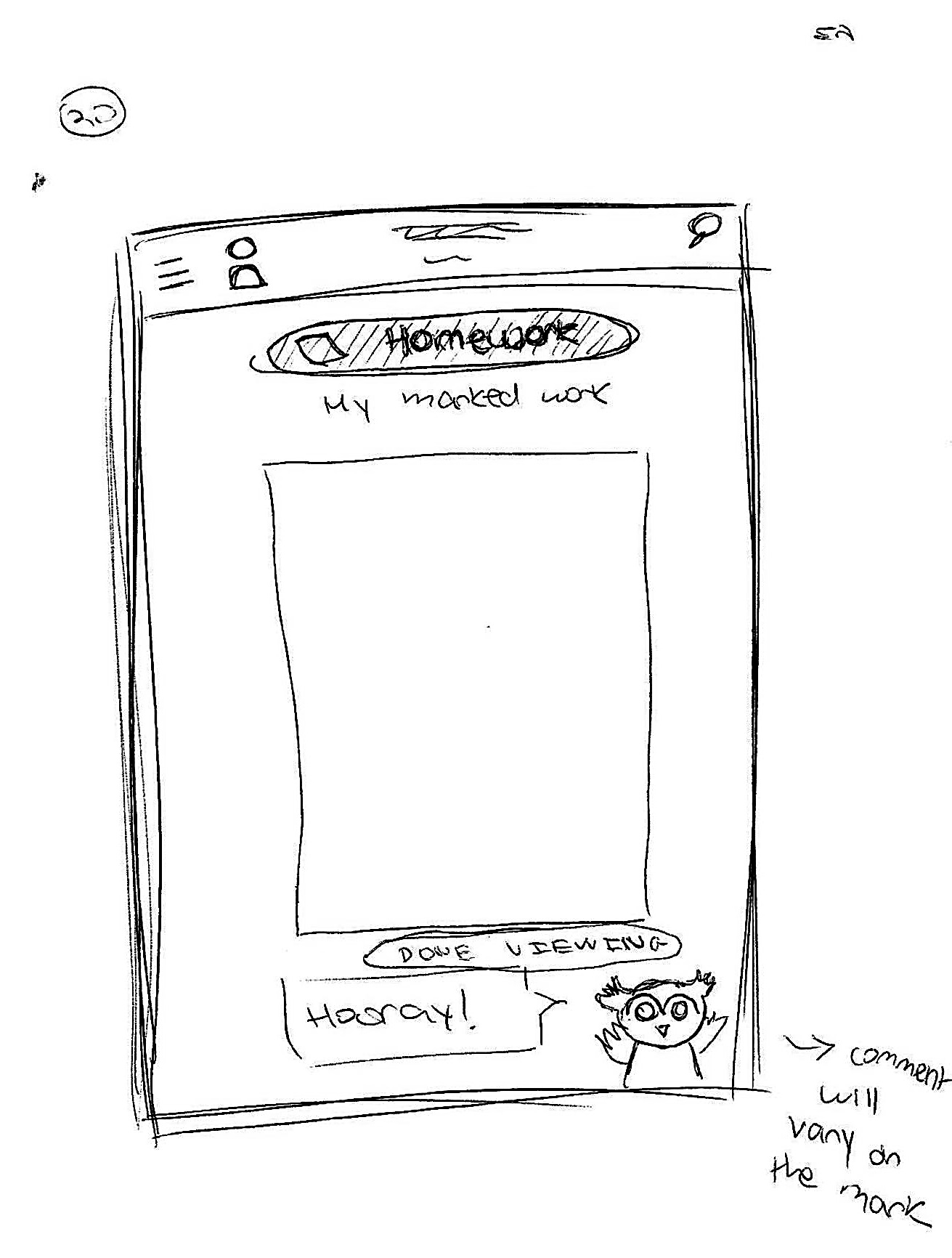
Sketching
Using the red routes as a guide, I sketched different ways to address the key user needs and journeys.
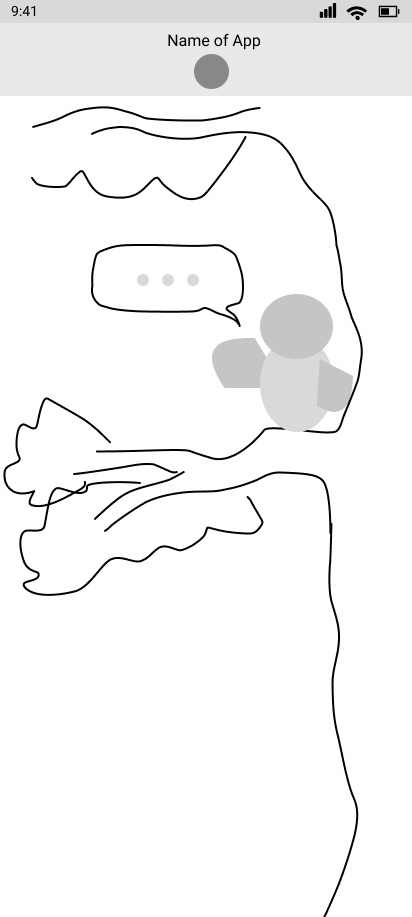
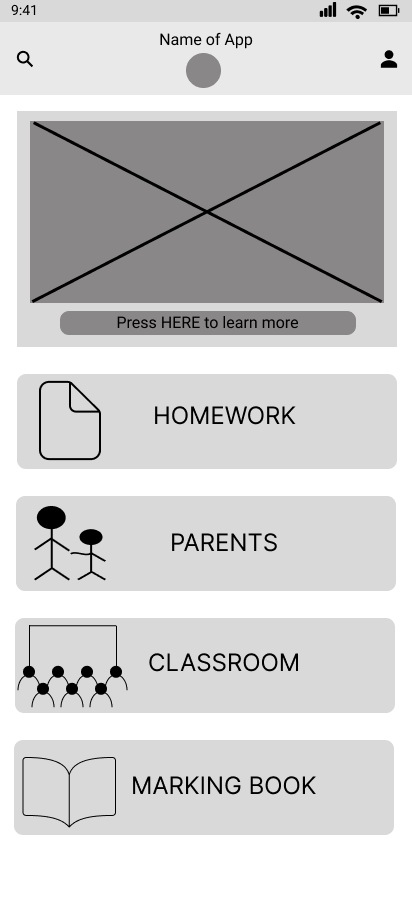
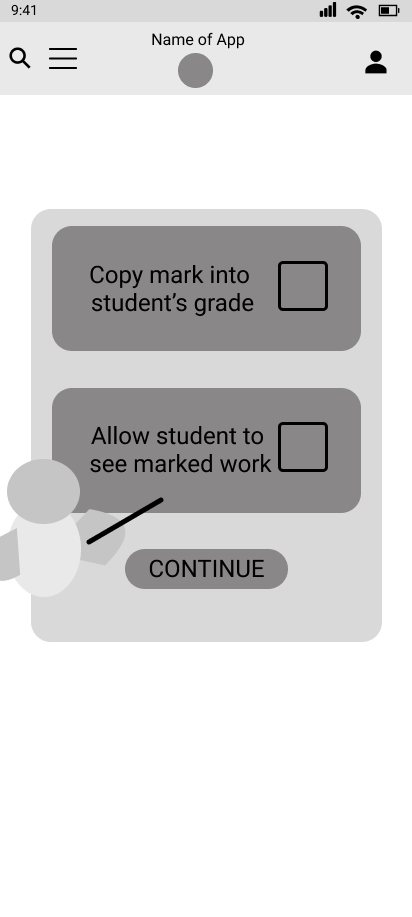
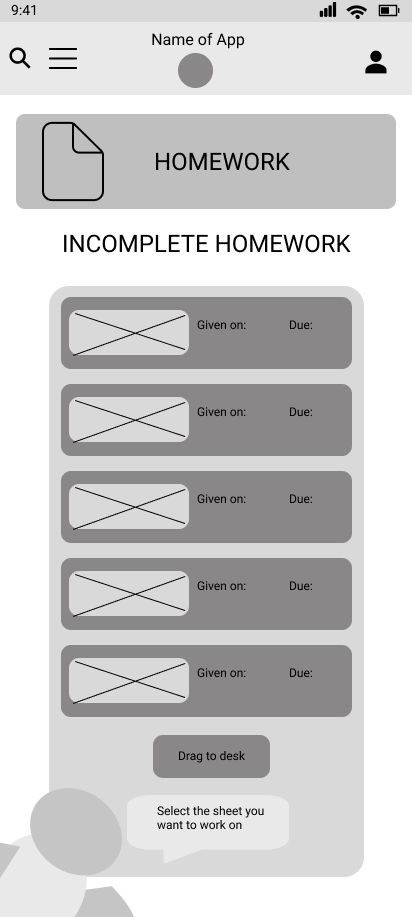
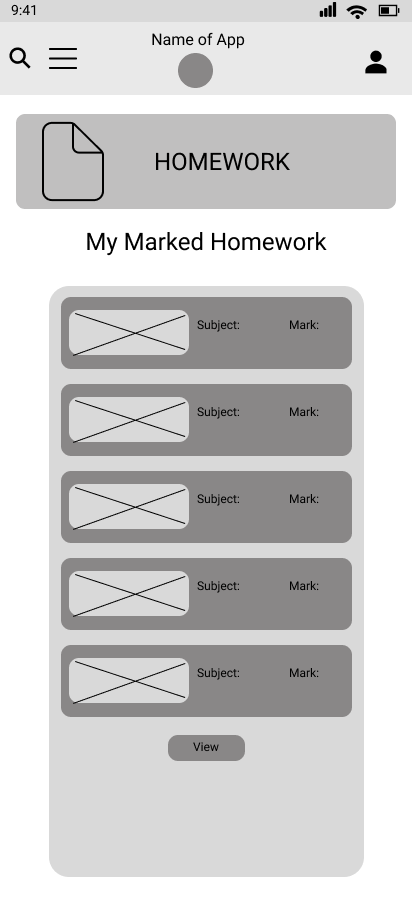
Low-Fidelity Designs
I translated my sketches into low-fidelity designs to begin shaping the app's layout, structure, and functionality.
Testing and Iteration
I tested the design with users to identify usability issues and used their feedback to guide key improvements.
Usability Testing Summary
I conducted 5 in-person, moderated usability tests with representatives of all three user groups.
Test Objectives
- Ensure key user tasks are easy to complete
- Ensure SchoolBox provides a practical approach to homework
- Ensure the experience is inviting, efficient, education-oriented, and kid friendly
Participants
Testing Method
5 in-person, moderated usability tests
Recruitment
Participants were recruited through word of mouth via my network of former teachers, students, and parents.
Key Findings (Across 5 Participants)
Action buttons caused confusion
Multiple participants were unsure which action to select when several options were grouped together.
Smaller homework sections were helpful
Participants found breaking worksheets into smaller sections made tasks more manageable.
Guidance from the owl was helpful
Participants appreciated the owl's instructional prompts throughout the experience.
Sign-in experience created friction
One participant had difficulty navigating the sign-in page.
Visual design was well received
Participants responded positively to the overall look and feel of the app.
Unavailable features created confusion
One participant repeatedly selected features that were not yet available.
Iterations Made
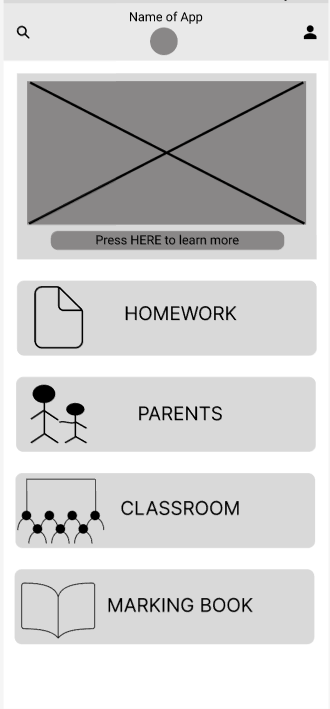
Before:
Home screen with multiple action buttons and no guidance.
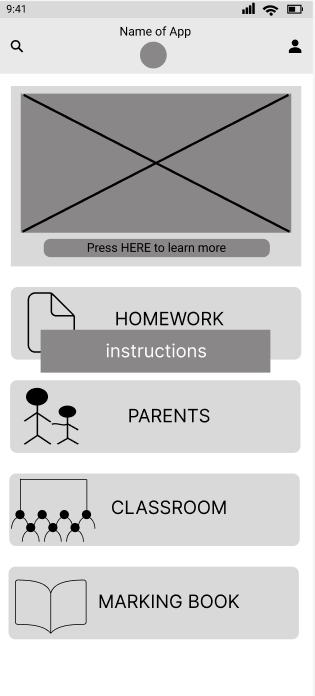
After:
Added instructional blurbs and clarified the purpose of each action.
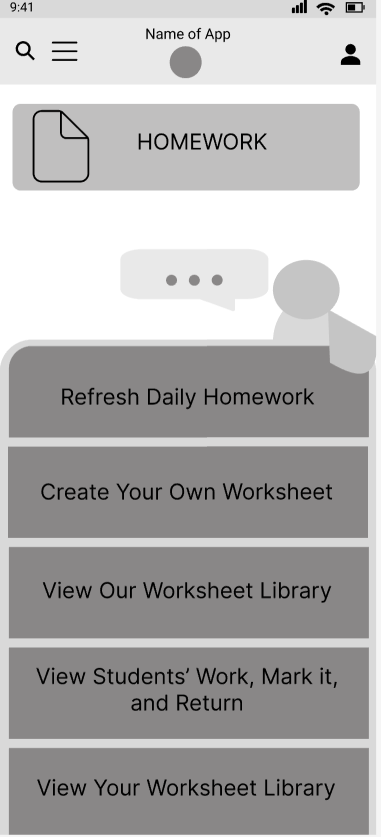
Before:
The breadcrumbs above appeared clickable because they looked very similar to the CTAs.
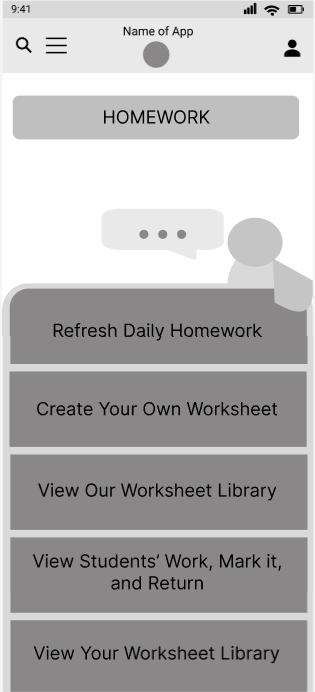
After:
I made clear distinctions between the CTAs and the breadcrumbs by making the breadcrumbs' design thinner .
Final Prototype - Uploading Homework Red Route
Insights
As my first UI/UX project, this experience taught me a great deal about the design process. What stood out to me most was the importance of truly understanding the user before designing a solution.
I found the process of empathizing with users especially meaningful and enjoyed exploring the different research methods used to uncover their needs, motivations, and challenges. This project reinforced for me that thoughtful design begins with understanding the people you are designing for.
“Thoughtful design begins with understanding the people you are designing for.”